You should rent a VPS for Deep Learning when Google Colab or Kaggle can no longer meet your training duration, VRAM requirements, or continuous operation needs. For beginners, an NVIDIA GPU with 8–12 GB of VRAM, 4 vCPUs, 16 GB of RAM, and 50 GB of NVMe storage is a reasonable starting configuration. HostingViet will help you determine when to rent a server and how to choose the right GPU, CPU, RAM, and storage for your AI models while minimizing unnecessary infrastructure costs.
When Do You Really Need to Rent a VPS for Deep Learning?
A VPS for Deep Learning is a virtual private server with access to GPU resources designed to accelerate the training and deployment of deep learning models. Unlike a standard VPS that primarily relies on CPU resources, a GPU VPS can perform multiple computations in parallel, making it suitable for tasks such as image recognition, natural language processing, neural network training, and LLM fine-tuning.
If you are just getting started with Deep Learning, you do not necessarily need to invest in a paid GPU server. Google Colab and Kaggle Notebooks are suitable environments for learning Python, getting familiar with PyTorch and TensorFlow, and experimenting with small AI models. However, free GPU resources are not guaranteed, execution times are limited, and resource allocation depends on each platform's policies.
HostingViet recommends considering a GPU VPS or dedicated GPU server when you encounter any of the following four situations.
Model Training Takes Longer Than 6–12 Hours
Deep Learning model training typically requires multiple iterations over a dataset to adjust model weights and improve prediction accuracy. For models with complex architectures or large datasets, training may take dozens of hours or even several days. At this point, the session limitations of free platforms become a significant obstacle.
The free version of Google Colab allows notebook sessions to run for up to 12 hours, depending on resource availability and usage history. Kaggle also imposes execution time and GPU usage limits. When a session is interrupted, running processes may terminate, potentially resulting in the loss of unsaved data. Without properly configured checkpoints, you may need to retrain part or all of your model.
Renting a GPU server for AI workloads gives you greater control over execution time. You can use tmux, Docker, or other process management tools to keep tasks running on the server even after shutting down your personal computer. Saving checkpoints regularly also allows you to resume training from the most recent saved state if an interruption occurs.
Large AI Models and Datasets Exceed Available VRAM
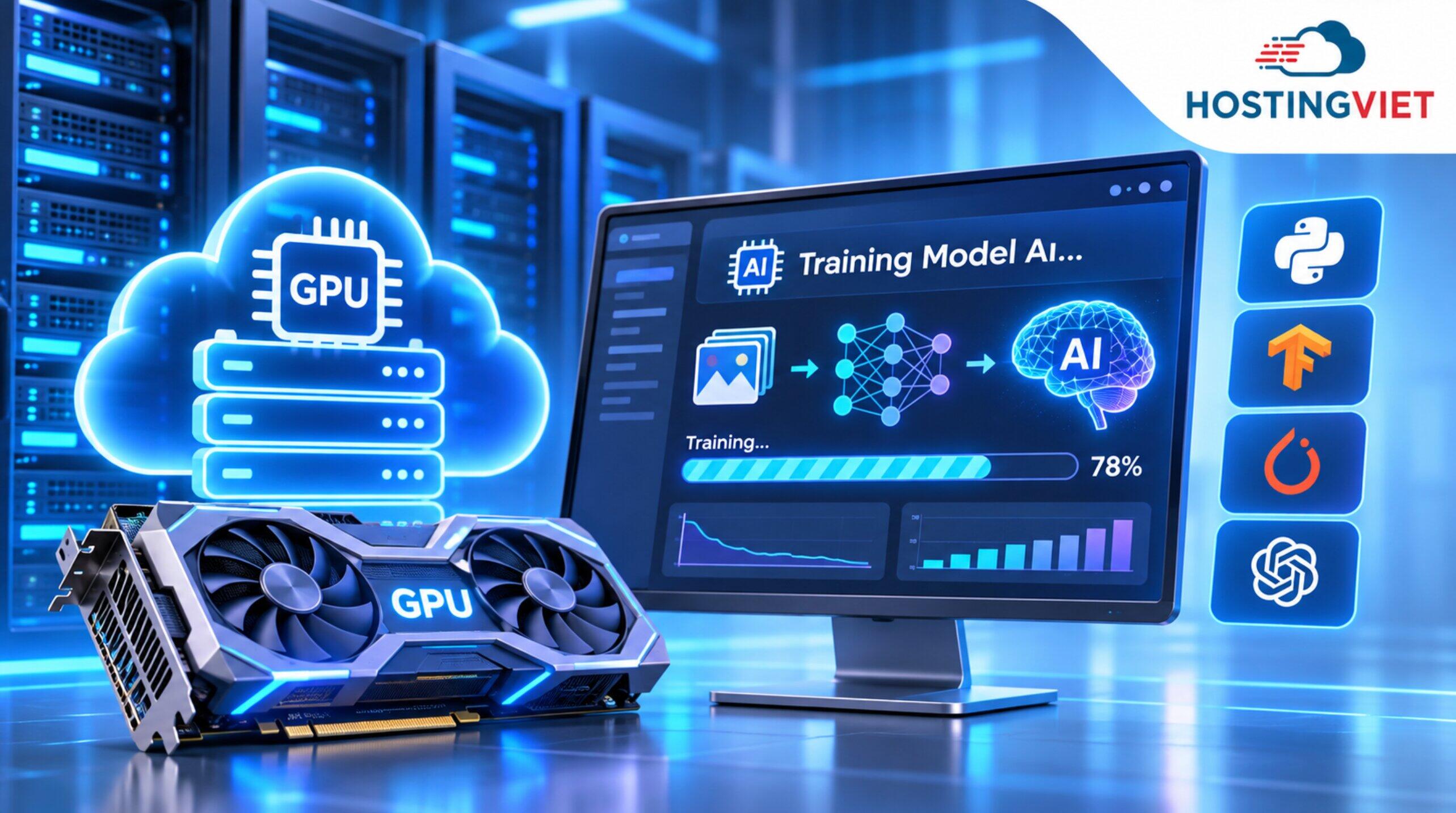
VRAM (Video Random Access Memory) is dedicated GPU memory used to store model weights, input data, and intermediate computation results. During training, the GPU also requires memory for gradients, activations, and optimizer states. When the total memory requirement exceeds available VRAM, the framework may return a CUDA Out of Memory (OOM) error.
This situation commonly occurs when fine-tuning large language models, training YOLO at high resolutions, or running image generation workflows using Stable Diffusion. For memory-intensive workloads, GPUs with 16–24 GB of VRAM are worth considering. However, the actual memory requirement also depends on model size, batch size, numerical precision, and training methods.
You can reduce the batch size or use mixed precision and gradient checkpointing to minimize VRAM consumption. If these techniques still fail to meet your requirements or significantly reduce processing speed, renting a GPU with more memory may be the most suitable solution.
You Need to Deploy AI APIs and Applications That Run 24/7
After training is completed, Deep Learning models are typically deployed for inference to process new data and serve users. For example, camera-based object detection systems, internal AI chatbots, or OCR applications need to remain available to process requests even when developers are not actively working.
Google Colab and Kaggle Notebooks are not designed to operate as continuously running production servers. Execution session limits, resource allocation policies, and usage restrictions make these platforms unsuitable as long-term server infrastructure for AI applications.
When renting a dedicated server environment, you can deploy FastAPI, Flask, Nginx, or Docker to build an API service for your AI models. A server with an appropriate IP address, authentication mechanisms, firewall protection, and monitoring services makes application management more convenient.
However, not every AI API requires a GPU. If your application only sends requests to AI models through third-party APIs, a standard VPS may be a more cost-effective solution. A GPU is only necessary when the server directly performs the computational tasks required by the model.
Businesses Need Greater Control and Security Over Internal Data
In enterprise Deep Learning projects, datasets may contain customer information, internal documents, financial data, manufacturing images, or other information that must be protected under specific organizational policies. Using a third-party managed notebook environment may not satisfy an organization's data control requirements, even when the notebook is configured as private.
Renting a VPS for AI workloads or a dedicated physical server allows businesses to choose their storage environment, manage user permissions, configure network settings, and control data access. Technical teams can implement SSH keys, VPNs, firewalls, data encryption, and backup policies tailored to each project.
For data with strict security requirements, HostingViet recommends considering a dedicated physical server rental to minimize hardware resource sharing with other systems. However, a dedicated server does not automatically guarantee complete security. Businesses still need to implement appropriate protection measures at the operating system, application, and network levels.
Minimum VPS Specifications for Getting Started with Deep Learning
For learning purposes and basic model training, HostingViet recommends starting with an NVIDIA GPU featuring 8–12 GB of VRAM, 4 vCPUs, 16 GB of RAM, and at least 50 GB of NVMe storage. A GPU with 12 GB of VRAM or more provides additional memory headroom if you plan to experiment with different AI models.
These are suggested starting specifications rather than mandatory requirements for every Deep Learning workload. Some small models may run with fewer resources, while LLM fine-tuning and high-resolution image processing projects may require significantly more powerful configurations.
| Component | Starting Configuration | Recommended Configuration |
|---|---|---|
| GPU | NVIDIA RTX 3060 12GB | RTX 4060 Ti 16GB or NVIDIA T4 16GB |
| VRAM | 8–12 GB for lightweight workloads | 12–24 GB, depending on the model |
| CPU | 4 vCPUs | 6–8 vCPUs |
| RAM | 16 GB | 32 GB or more |
| Storage | 50 GB NVMe SSD | 100 GB NVMe SSD or more |
| Operating System | Ubuntu 22.04 LTS | Ubuntu 22.04 or 24.04 LTS, depending on the software environment |
| Software | NVIDIA drivers, Python, PyTorch, or TensorFlow | CUDA, cuDNN, and Docker when required |
GPU and VRAM: The Most Important Components of a Deep Learning VPS
The GPU handles most parallel computations during neural network training, including matrix multiplication and tensor processing. When a framework supports hardware acceleration, using a suitable GPU can significantly reduce processing time compared to performing the entire workload on a CPU.
When choosing a GPU for Deep Learning, you should prioritize NVIDIA graphics cards that are compatible with the CUDA ecosystem and your preferred AI libraries. Some popular options for beginners include:
- NVIDIA RTX 3060 12GB: Suitable for learning Deep Learning, experimenting with CNNs, training YOLO models with moderate settings, and developing small computer vision models.
- NVIDIA RTX 4060 Ti 16GB: Offers more VRAM than the 8 GB version, providing additional flexibility for experimenting with workloads that require more graphics memory.
- NVIDIA Tesla T4 16GB: A data center GPU featuring Tensor Cores, suitable for various AI inference, Machine Learning, and Deep Learning workloads.
HostingViet does not recommend prioritizing older GPUs with less than 8 GB of VRAM, such as the GTX 1060 or GTX 1660, for Deep Learning projects that require scalability. These graphics cards can still handle certain small workloads in compatible environments, but limitations in memory capacity, GPU architecture, and support for newer acceleration features may affect model development.
CPU, RAM, NVMe Storage, and Operating System
Although the GPU is the primary component, the performance of a VPS for Deep Learning also depends on how efficiently the CPU, RAM, and storage work together. If these components lack sufficient resources, the GPU may have to wait for data and fail to reach its full computational potential. This phenomenon is known as a bottleneck.
When choosing your server configuration, you should consider the following specifications:
- CPU with at Least 4 vCPUs: Handles data decompression, file reading, data augmentation, tokenization, and process coordination. For complex data processing pipelines, consider 6–8 vCPUs or more.
- At Least 16 GB of RAM: Supports caching, DataLoaders, the operating system, and running applications. Having system RAM equal to or greater than GPU VRAM is a useful general guideline, but additional memory may be necessary when working with large datasets or CPU offloading techniques.
- 50–100 GB of NVMe Storage: Used to store the operating system, source code, AI libraries, datasets, model weights, and checkpoints. Storage capacity should be expanded according to actual data requirements.
- Ubuntu 22.04 LTS or 24.04 LTS: Popular Linux distributions for deploying Python, NVIDIA drivers, CUDA, and Docker environments.
The operating system and AI development environment alone may consume dozens of gigabytes of storage when multiple libraries, containers, and models are installed. Therefore, 50 GB should only be considered a starting point for small workloads. For projects involving multiple checkpoints or image datasets, HostingViet recommends prioritizing at least 100 GB of storage.
Deep Learning VPS Configuration Guide Based on Workload
There is no single GPU VPS configuration suitable for every AI model. A basic image classification project has different resource requirements from LLM fine-tuning, AI image generation, or multimodal model training. Choosing a GPU based on your actual workload helps control costs and minimize resource shortages during deployment.
The following table provides recommended GPU configurations for three levels of Deep Learning workloads, ranging from learning and experimentation to advanced research.
| Workload Level | Recommended GPUs | Target VRAM | Recommended CPU and RAM | Suitable Use Cases |
|---|---|---|---|---|
| Beginner and Learning | RTX 3060 12GB, RTX 4060 Ti 16GB, Tesla T4 | 12–16 GB | 4–8 vCPUs, 16–32 GB RAM | Small model training, YOLO, CNNs, image classification, and basic AI inference. |
| Intermediate and Fine-Tuning | RTX 3090, RTX 4090, NVIDIA A10G | 24 GB | 8–16 vCPUs, 32–64 GB RAM | Fine-tuning 7B–13B LLMs using memory-efficient techniques, Stable Diffusion, and computer vision. |
| Advanced and Large Datasets | NVIDIA A100, NVIDIA H100 80GB | 40–80 GB or more | 16 vCPUs or more, 64–128 GB RAM or higher | Pre-training, multimodal models, large batch sizes, and distributed training. |
Note: The configurations above are technical recommendations for reference purposes and do not represent a list of GPUs currently available at HostingViet. Actual performance depends on model architecture, training methods, numerical precision, and dataset size.
Should You Rent a VPS for Deep Learning Hourly or Monthly?
The GPU server rental model should be selected based on actual usage frequency. If you only need a server for learning, model experimentation, or occasional training, hourly GPU rental can help reduce costs during periods of inactivity. In contrast, AI applications that require continuous operation are generally better suited to monthly rental plans.
| Criteria | Hourly GPU Rental | Monthly GPU Rental |
|---|---|---|
| Suitable Use Cases | Learning, experimentation, and occasional model training. | AI inference, APIs, and long-term projects. |
| Costs | Depends on usage duration and additional fees. | Payment follows the agreed billing cycle. |
| Resource Availability | Depends on resource allocation policies when restarting or provisioning the server. | Based on the configuration and commitments of the selected rental plan. |
| Important Considerations | Storage fees while the server is stopped and GPU reallocation availability. | GPU utilization rates and costs during idle periods. |
To determine the more cost-effective option, multiply the hourly GPU rental rate by your estimated total usage hours, then add storage, networking, and other related resource costs. Compare the result with the monthly rental price of a server offering an equivalent configuration.
In particular, you should confirm whether the provider stops charging for GPU usage when the server is shut down. Some services may continue charging for storage or retained resources. You can learn more about GPU rental options for AI and Deep Learning to select the most suitable solution for your budget.
Deep Learning VPS and Server Solutions at HostingViet
HostingViet is a provider of information technology infrastructure solutions in Vietnam, including Cloud VPS, NVMe VPS, dedicated physical servers, storage services, and system security solutions. For artificial intelligence deployments, HostingViet provides infrastructure consulting based on customers' actual configuration requirements and workloads.
Depending on your intended use case, you can consider the following three options:
- NVMe VPS: Suitable for deploying orchestration APIs, databases, management applications, data preprocessing pipelines, and models that can run on CPUs. Dedicated GPU resources are not included by default.
- On-Demand Cloud GPU: A solution that requires consultation regarding specific GPU, VRAM, CPU, RAM, and storage configurations for AI training, fine-tuning, or inference.
- Dedicated Server: Suitable for businesses that require dedicated physical server resources, large-scale data processing, and long-term system operation. GPU installation availability must be confirmed separately.
For projects requiring NVIDIA RTX 3060, RTX 3090, RTX 4090, A100, or H100 GPUs, customers should contact HostingViet to confirm hardware availability, deployment capabilities, and pricing. These GPUs should not be assumed to be included in currently listed VPS or Dedicated Server packages.
HostingViet currently lists the following base dedicated server configurations for reference:
| Server Plan | CPU | RAM | Enterprise Storage | Starting Monthly Price |
|---|---|---|---|---|
| DS V3 | Intel Xeon E5 V3 | 32 GB DDR4 | 960 GB | VND 3,300,000 |
| DS V4 | Intel Xeon E5 V4 | 64 GB DDR4 | 960 GB | VND 3,950,000 |
| DS Silver | Intel Xeon Silver | 96 GB DDR4 | 960 GB | VND 5,150,000 |
| DS Gold 1 | Intel Xeon Gold | 128 GB DDR4 | 1.92 TB | VND 7,500,000 |
| Specialized GPU Server | Customized configuration based on AI models and workload requirements | Contact for a Quote | ||
Note: The prices above apply to base dedicated physical servers with a 12-month billing cycle and exclude GPU resources, 10% VAT, and additional services. This is not an all-inclusive GPU VPS pricing table. Actual configurations and costs must be confirmed at the time of registration.
HostingViet also offers the option of adding an NVIDIA Tesla K40 12GB GPU to dedicated servers. However, this is an older-generation GPU and should not be prioritized for Deep Learning projects using modern frameworks without carefully verifying driver compatibility and CUDA architecture support.
How to Rent a VPS for Deep Learning at HostingViet
Before renting a server for Deep Learning, you should prepare information about your AI model, preferred framework, dataset size, and expected usage duration. Clearly identifying technical requirements helps HostingViet recommend a more suitable solution while minimizing additional upgrade costs or environment changes after server delivery.
The registration and deployment process can be completed by following these steps:
-
Step 1: Explore Available Services. Visit the AI server rental page at HostingViet to learn about infrastructure solutions for Machine Learning, Deep Learning, and AI inference.
-
Step 2: Determine Your Required Configuration. Prepare information about the AI model name, number of parameters, target VRAM capacity, framework, storage requirements, and GPU usage frequency.
-
Step 3: Request Technical Consultation. Visit the HostingViet contact page or call the hotline at 024.2222.2223 to confirm hardware availability, operating system versions, support policies, and rental costs.
-
Step 4: Register an Account and Complete Payment. Once the configuration has been agreed upon, customers can create a HostingViet account and complete the server rental process based on the confirmed quotation.
-
Step 5: Receive Your Server and Perform Testing. Connect through SSH or the provided management method, verify GPU resources, install your Deep Learning environment, and test the AI model using a portion of the dataset before launching the full training process.
HostingViet recommends running benchmarks on actual workloads before selecting a long-term rental cycle. Metrics such as VRAM usage, GPU utilization, training step duration, data reading speed, and RAM consumption will help accurately determine whether the server meets your requirements.
Conclusion
Renting a VPS for Deep Learning is a suitable solution when free platforms can no longer meet your training duration, VRAM requirements, or continuous operation needs. You should prioritize CUDA-compatible GPUs and balance CPU, RAM, and NVMe storage resources according to each AI model. HostingViet provides consultation for on-demand VPS and GPU server infrastructure, helping you choose a configuration that matches your AI workload and budget.
Explore More Related Articles:
- What Is a GPU VPS? Detailed Specifications, Applications, and Pricing
- Affordable GPU Rental for AI Model Training with Flexible Hourly and Daily Plans
- High-Performance Cloud GPU Rental for AI and Graphics Workloads
- VPS Rental for Stable Diffusion: Specifications, Pricing, and Installation Guide
- AI Server Rental Pricing – High-Speed Cloud GPU Solutions
-
Báo xấuPhản hồi{comment_date}{comment_content}